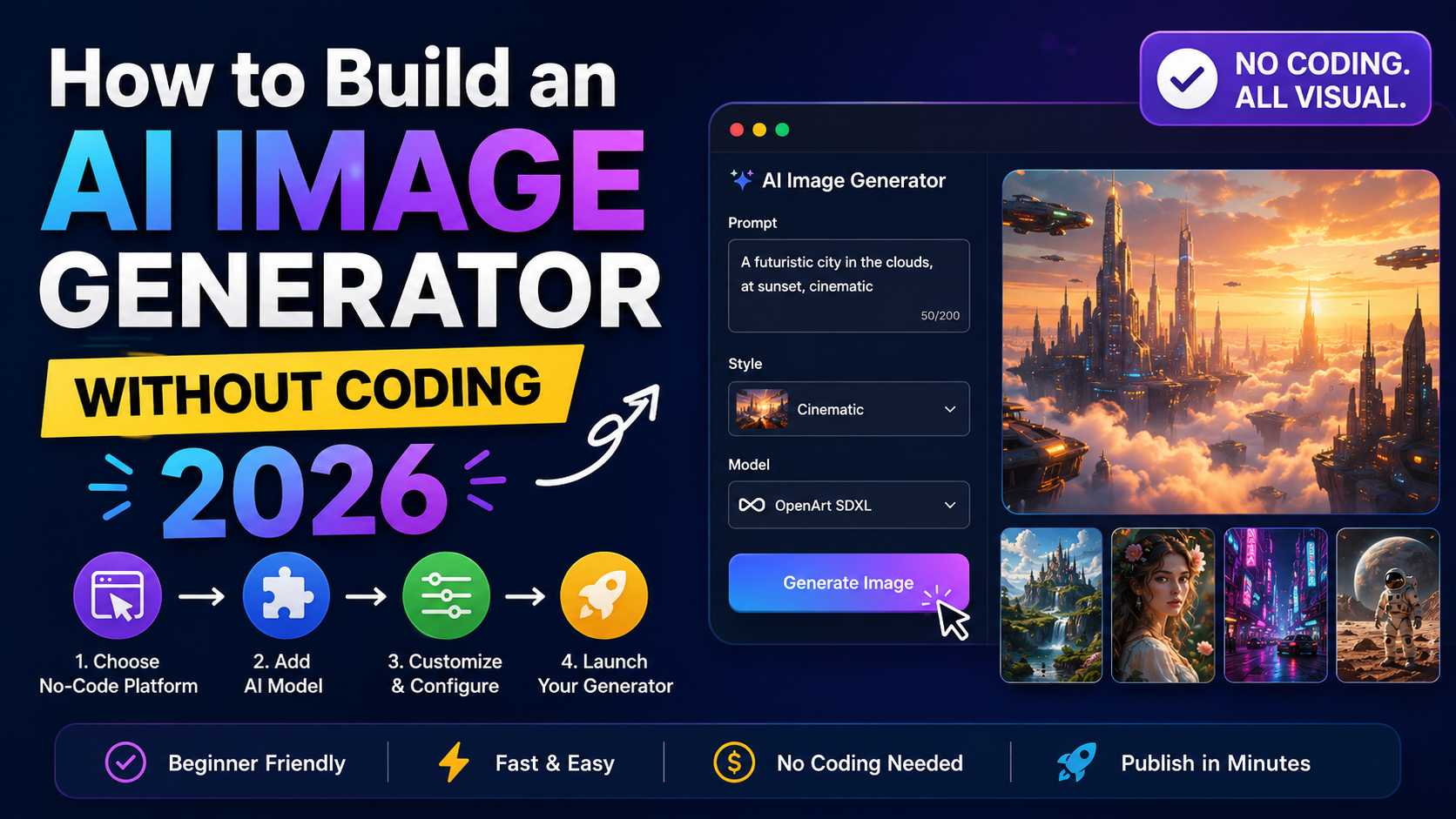
How to Build an AI Image Generator Without Coding in 2026
An AI image generator allows users to create custom visuals using simple text prompts instead of designing everything manually. These tools are becoming popular among marketers, creators, startups, and businesses that need fast image generation for content, branding, and campaigns.
With modern AI tools and no-code platforms, you can now build an AI image generator app without writing complex code. You can create prompt fields, image style selectors, preview galleries, and download options using visual workflows and AI-powered builders.
In this guide, you will learn how to create an AI image generator step by step, including workflow planning, interface design, customization features, testing, and publishing.
Why build an AI image generator?
AI-generated visuals help users save time and quickly produce creative content for websites, social media, ads, blogs, and product marketing.
An AI image generator can help users:
- Create images from text prompts
- Generate marketing graphics faster
- Build social media visuals instantly
- Explore design concepts without designers
- Create branded image ideas for campaigns
This type of tool is useful for:
- Content creators
- Marketing teams
- Ecommerce businesses
- Agencies
- Bloggers
- Startups
Step 1: Define the purpose of your AI image generator
Before creating the application, decide what kind of images users should generate.
Some common AI image generator categories include:
- Marketing visuals
- Social media graphics
- Blog illustrations
- Product mockups
- Creative artwork
- Brand campaign images
A focused image generator usually performs better because the prompts, styles, and layouts are optimized for a specific audience.
Example use cases
Marketing image generator
Helps businesses create ad visuals, banners, and campaign graphics.
Social media image generator
Creates thumbnails, Instagram posts, YouTube graphics, and content visuals.
Product concept generator
Generates product ideas, packaging concepts, and promotional images.
Step 2: Plan the core features
The first version of your AI image generator should stay simple and easy to use.
Prompt input field
Allow users to describe the image they want using natural language.
Example:
- “Create a cinematic city skyline at night”
- “Minimal product mockup with dark background”
Style presets
Add image style options such as:
- Realistic
- Illustration
- 3D
- Minimal
- Cinematic
- Product mockup
Preview gallery
Display generated images in a clean gallery layout so users can compare results easily.
Download and save options
Users should be able to:
- Save favorite images
- Download generated visuals
- Regenerate image variations
Step 3: Create the user flow
A good AI image generator should feel simple from start to finish.
Basic user flow
Landing page
Show examples of generated visuals and explain what users can create.
Prompt section
Users enter prompts and choose styles, aspect ratios, or moods.
Image generation
The AI processes the request and generates image options.
Result gallery
Generated images appear in a visual gallery layout.
Download or regenerate
Users can save, download, or create more variations.
Step 4: Generate the first version with AI tools
Modern AI builders make it easier to build a no-code AI image generator.
You can describe the application using prompts like:
“Create an AI image generator web app where users can enter prompts, select image styles, preview generated images, and download results.”
The builder can automatically create:
- Prompt forms
- Style selectors
- Gallery layouts
- Mobile-friendly designs
- Download buttons
Useful customization prompts
Add image styles
“Add realistic, illustration, 3D, cinematic, and minimal presets.”
Add aspect ratio controls
“Include square, portrait, and landscape image sizes.”
Add saved image collections
“Allow users to save favorite generated images.”
Step 5: Improve the design and layout
The design of an AI image generator should focus heavily on visuals.
Use large preview images
Generated visuals should be easy to compare and review.
Add prompt examples
Prompt examples help users create better image requests.
Examples:
- “Minimal product photography”
- “Cyberpunk city background”
- “Luxury brand advertisement”
Make the interface mobile-friendly
Many users generate visuals directly from smartphones for social media content.
Step 6: Add advanced AI image generator features
Once the basic version works properly, you can add more advanced functionality.
Regenerate image variations
Allow users to generate multiple versions using the same prompt.
Mood and color controls
Users can customize:
- Mood
- Color palette
- Background style
- Lighting
Saved image history
Store previously generated images so users can revisit old projects.
Export options
Allow users to export images for:
- Social media
- Websites
- Advertisements
- Blog posts
Step 7: Test the AI image generator
Before publishing, test different types of prompts and image styles.
Test checklist
Prompt handling
Ensure prompts generate relevant visuals.
Style presets
Each style should noticeably affect the final image output.
Preview gallery
Generated images should display correctly on desktop and mobile devices.
Download buttons
Users should be able to save images without errors.
Step 8: Publish the AI image generator
Once testing is complete, publish the application and make it accessible through your domain.
Common publishing use cases include:
- AI art generators
- Social media image tools
- Marketing graphic generators
- Product visualization tools
- Blog illustration generators
Common mistakes to avoid
Many AI image generator projects fail because the interface becomes too confusing or limited.
Too few style options
Users need multiple visual styles for better creativity.
No prompt examples
Prompt guidance improves image quality and user experience.
Poor image previews
Small previews make it difficult to compare results.
Missing regenerate feature
Most users want multiple variations before choosing a final image.
No aspect ratio support
Different platforms require different image dimensions.
Best practices for building an AI image generator
To create a better AI image generator app, focus on simplicity, customization, and visual usability.
Keep the workflow simple
Users should generate images in only a few steps.
Optimize for mobile devices
Mobile users often create quick social media visuals.
Focus on visual quality
The gallery and preview sections should feel modern and clean.
Add scalable features later
Start with core functionality before adding advanced AI controls.
Building an AI image generator is now easier thanks to no-code AI tools and visual application builders. Instead of developing complex systems manually, you can create a working AI image generator using prompts, style presets, preview galleries, and download features.
A good AI image generator should provide:
- Simple prompt-based image creation
- Multiple visual styles
- Fast preview generation
- Mobile-friendly design
- Easy download and save options
Whether you want to create marketing graphics, social media visuals, product concepts, or creative artwork, an AI image generator can become a powerful tool for creators, businesses, and developers in 2026.
Follow Us on Facebook