How to Create a Font Generator Web App
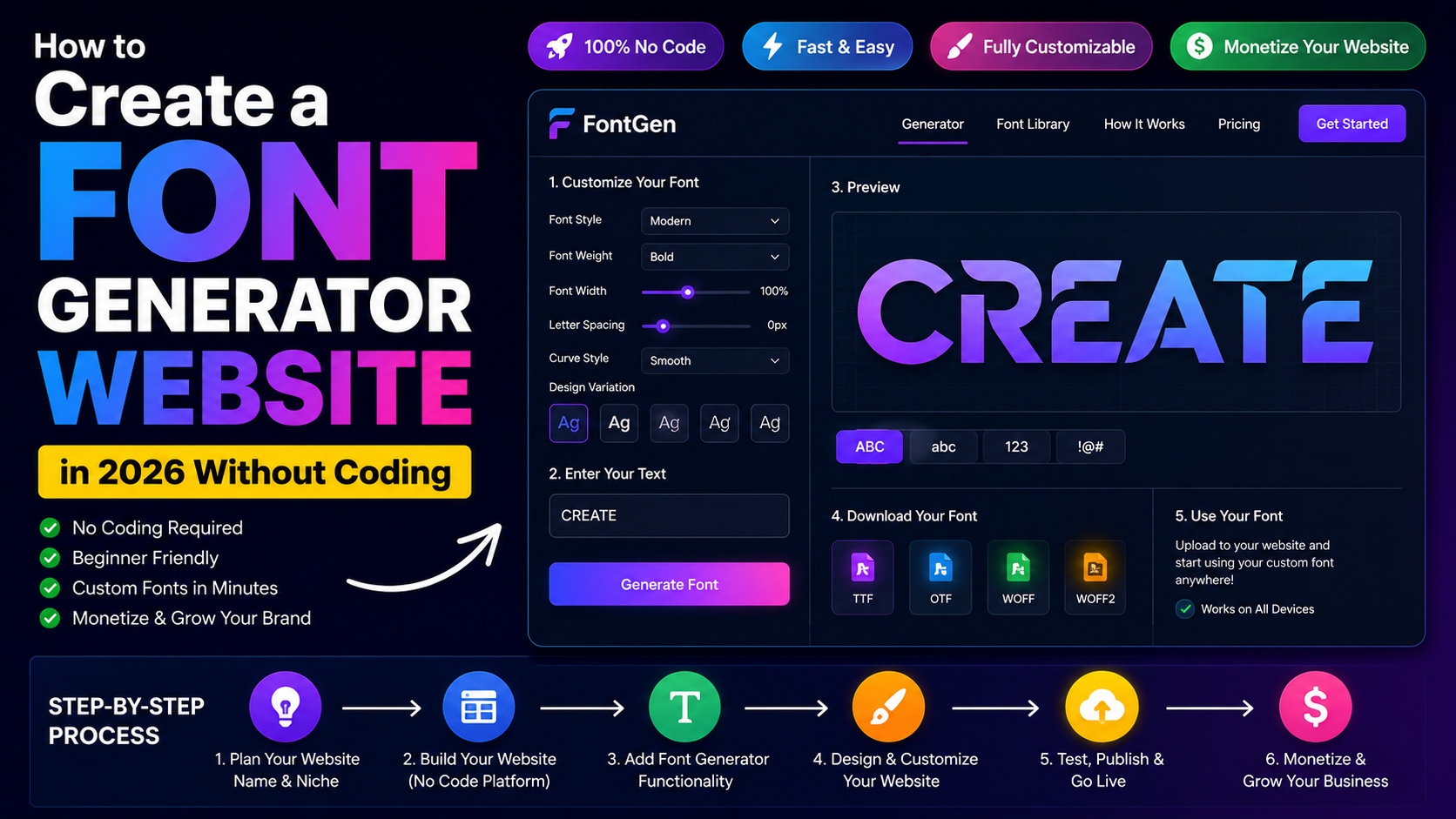
A font generator web app helps users instantly create stylish text for social media bios, usernames, branding ideas, headings, and creative projects. Instead of manually testing text styles in design software, users can enter text once and preview multiple styled versions in seconds. In this article you will know about custom font generator.
With AI-powered development tools and no-code platforms, creating a font generator web app is much faster than traditional development. You can build live text previews, style categories, and copy-ready text layouts without writing complex code.
Define the Purpose of Your Font Generator
Before building the app, decide what type of styled text experience you want to offer.
Some tools focus on social media usernames, while others help users generate branding concepts, decorative headings, or creative typography previews.
For example:
Social Media Styling
Users can generate stylish usernames, profile names, and captions for platforms like Instagram, TikTok, and YouTube.
Branding and Logo Inspiration
Businesses and creators can preview decorative text styles before creating logos or marketing assets.
Creative Typography Experiments
Designers can compare different text moods, layouts, and visual directions quickly.
Choose the Main Features for the First Version
A good font generator should feel fast, clean, and simple to use.
Live Text Input
Users should be able to type or paste text into a main input field and instantly see styled previews.
Multiple Font Style Previews
Display several text variations such as elegant, bold, futuristic, handwritten, minimal, and decorative styles.
Copy-to-Clipboard Buttons
Each style should include a quick copy button so users can reuse the text instantly.
Mobile-Friendly Layout
Many users access a font generator from smartphones, so the layout should remain readable on smaller screens.
Create a Simple User Flow
The user experience should focus on instant visual feedback.
Landing Page
The user opens the tool and immediately sees the text input area.
Text Input
The user types a word, phrase, or username.
Live Style Generation
The system automatically updates multiple styled text previews.
Copy or Save
The user copies a preferred style or generates another variation.
Build the Font Generator Interface
You can use AI web app builders to create the first version quickly.
Start with a prompt like:
“Create a font generator web app where users type text, preview multiple styled versions, and copy their favorite design.”
The generated interface should include:
- A large text input box
- Style preview cards
- Copy buttons
- Category filters
- Responsive mobile layout
Improve the Design and Layout
The design should help users scan different styles quickly.
Use Large Preview Cards
Each text style should appear clearly without visual clutter.
Add Style Categories
Group styles into sections like modern, luxury, playful, minimal, and futuristic.
Highlight Copy Actions
Copy buttons should remain visible because most users want quick access to styled text.
Add Live Preview Logic
A font generator depends heavily on real-time updates.
Instant Text Updates
Every preview card should update automatically as users type.
Category Filtering
Users should be able to filter styles based on mood or use case.
Favorite Saving Options
Allow users to save preferred styles for later comparison.
Test the Font Generator Before Launch
Testing helps prevent layout and usability problems.
Check Live Preview Accuracy
All text styles should refresh instantly when the input changes.
Test Copy Buttons
Users should be able to copy styled text without issues.
Verify Mobile Responsiveness
Preview cards and buttons should remain easy to use on phones and tablets.
Publish and Share the Tool
Once the font generator works correctly, publish it on your domain.
Common use cases include:
- Stylish social media bios
- Decorative usernames
- Branding previews
- Creative headings
- Typography inspiration
Improve the Font Generator After Launch
After launch, you can expand the tool with additional features.
Social Profile Previews
Show how styled text looks inside social media profile layouts.
Saved Style Collections
Allow users to organize favorite styles into collections.
Advanced Typography Categories
Add new style groups such as cyberpunk, retro, gaming, luxury, or handwritten themes.
Common Mistakes to Avoid
Avoid overcomplicating the interface with too many controls.
Other common issues include:
Too Many Similar Styles
Users prefer distinct and visually different text styles.
No Mobile Optimization
A font generator should work smoothly on smaller screens.
Missing Copy Features
Without quick copy actions, the tool becomes less practical.
Why Build a Font Generator Web App?
A font generator web app is useful for creators, marketers, influencers, designers, and businesses.
It helps users:
- Create stylish text quickly
- Improve social media profiles
- Explore branding ideas
- Generate decorative headings
- Copy formatted text instantly
Because styled text tools are highly shareable, a well-designed font generator can attract consistent traffic from search engines and social media users.
Follow Us on Facebook