How to Delete an IONOS Account and Move Your Website to Hostinger
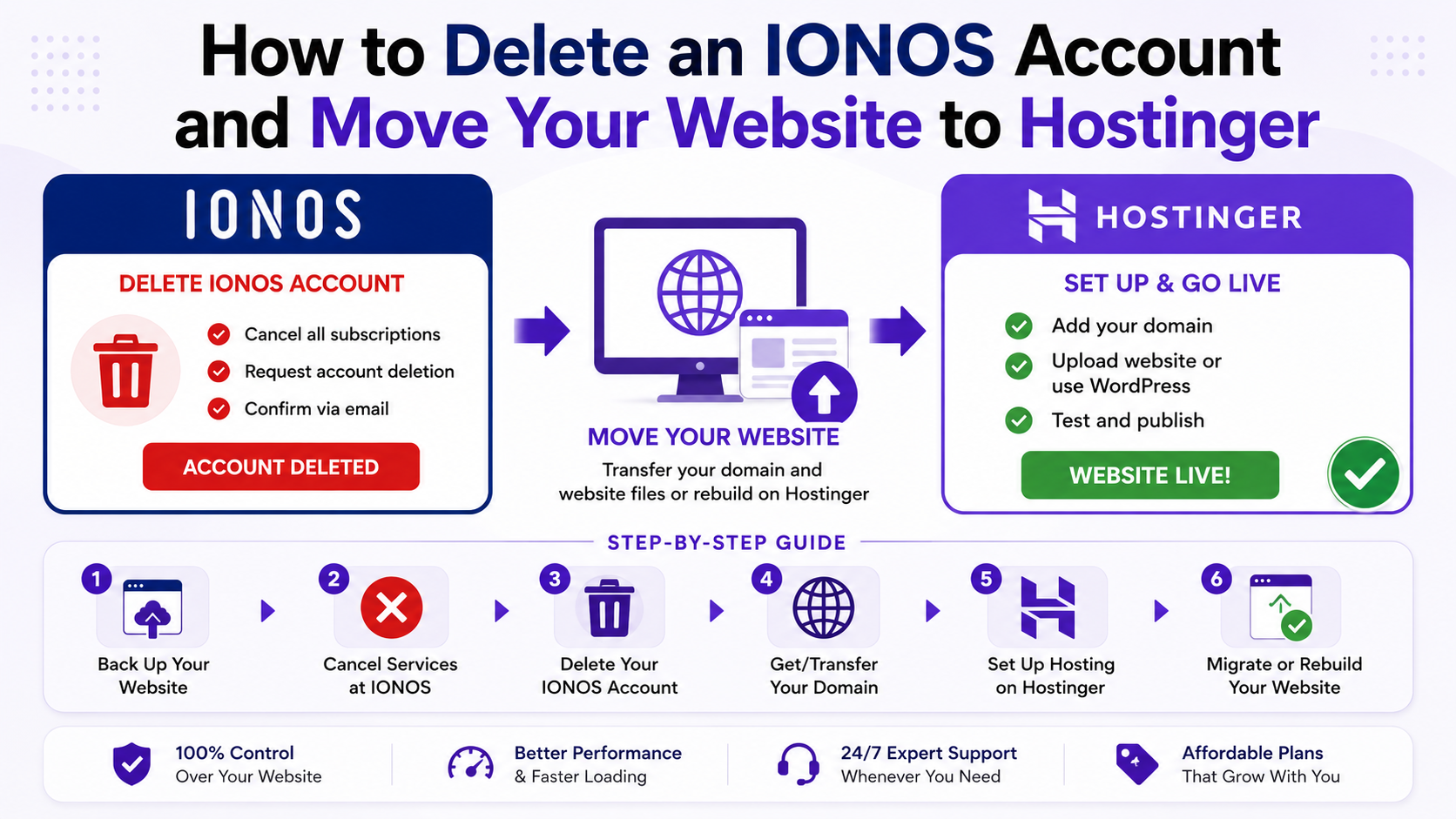
Deleting your IONOS account can be difficult if you do not follow the correct steps. Before canceling your hosting plan, you should back up your website files, disable domain renewals, and prepare your website migration properly.
This guide explains how to delete an IONOS account safely and transfer your website to Hostinger without losing important files or website data.
Why Users Cancel IONOS Hosting
Many website owners choose to cancel IONOS hosting because of:
- Complex dashboard navigation
- Difficult cancellation procedures
- Slow support responses
- Expensive renewal pricing
- Limited beginner-friendly tools
Moving to Hostinger gives users a simpler control panel, free migration services, and easier website management.
Backup Your Website Before Deleting the IONOS Account
Before starting the IONOS account deletion process, create a full backup of your website files and databases.
Download Website Files Using FTP
Follow these steps:
- Log in to your IONOS dashboard
- Open the Hosting section
- Navigate to SFTP & SSH
- Click Manage
- Open FTP account settings
- Download the FileZilla configuration file
Install FileZilla on your computer and connect using your FTP credentials.
After connecting:
- Download all website files
- Export your databases
- Save backups on your computer
This protects your data before deleting the hosting account.
Cancel Your IONOS Hosting Subscription
After creating backups, you can cancel active hosting services.
Steps to Cancel IONOS Hosting
- Open My Account
- Go to Contracts & Subscriptions
- Select the hosting contract
- Click Cancel Contract
- Choose Cancel this entire contract
- Select a cancellation reason
- Confirm the cancellation request
Depending on your services, IONOS may ask you to choose a cancellation date.
Disable Domain Auto-Renewal
Even after canceling hosting, domains may continue renewing automatically.
Turn Off Automatic Renewal
To prevent future billing:
- Open your domain settings
- Click Disable Automatic Renewal
- Confirm the changes
This step is important when transferring a website from IONOS to another hosting provider.
Contact IONOS Customer Support
IONOS usually requires support confirmation before permanent account deletion.
Available Support Options
You can contact support through:
- Live chat
- Email support
- Phone support
Request permanent account closure and verify that all services are canceled successfully.
Verify Your Identity
IONOS may request identity verification before completing the account deletion process.
Information You May Need
Prepare the following:
- Customer ID
- Registered email address
- Billing information
- Last four digits of your payment card
This helps confirm account ownership.
Confirm the IONOS Account Deletion
Before final confirmation:
- Verify backups are complete
- Confirm subscriptions are canceled
- Check domain settings carefully
After approval, IONOS will permanently close your account and send a confirmation email.
Migrate Your Website to Hostinger
After deleting your IONOS account, transfer your website to Hostinger to keep your website online.
One major advantage is that Hostinger provides free website migration with managed hosting plans.
Purchase a Hosting Plan
Choose a hosting plan based on your website requirements:
- Shared hosting
- WordPress hosting
- Cloud hosting
- VPS hosting
Select the plan that matches your traffic and performance needs.
Request Free Website Migration
After purchasing hosting:
- Start the onboarding process
- Select I’ll migrate a website
- Upload your backup files
- Submit the migration request
The Hostinger migration team handles most of the technical work for you.
Supported Website Types
You can migrate:
- WordPress websites
- WooCommerce stores
- HTML websites
- PHP websites
This makes it easier for beginners to migrate websites from IONOS.
Point Your Domain to Hostinger
After migration is complete, connect your domain to your new hosting server.
Update Nameservers
If your domain remains registered with IONOS:
- Open DNS settings
- Replace the nameservers with Hostinger nameservers
- Save the changes
DNS propagation usually takes several hours.
Benefits of Moving From IONOS to Hostinger
Many users transfer websites from IONOS because Hostinger offers:
- Faster website performance
- Easier dashboard management
- Free SSL certificates
- AI website tools
- Affordable pricing
- Free migration services
- Beginner-friendly hosting environment
These features help simplify website management for businesses and beginners.
Important Tips Before Deleting Your IONOS Account
Before permanently deleting your hosting account:
Checklist Before Account Deletion
- Backup website files
- Export databases
- Save DNS records
- Disable auto-renewal
- Test migrated websites
- Confirm email backups
Careful preparation helps avoid downtime and data loss.
Deleting an IONOS account requires proper planning to avoid losing website files, domains, or databases. By following the correct steps, you can safely cancel IONOS hosting and migrate your website to a better hosting provider.
Here’s a quick recap:
- Backup website files and databases
- Cancel active hosting subscriptions
- Disable domain auto-renewal
- Contact IONOS support
- Verify account ownership
- Confirm account deletion
- Migrate your website to Hostinger
If you want a simpler hosting experience with free migration support and beginner-friendly tools, moving your website to Hostinger is a practical long-term solution.